



How to use MAZDA CONNECT™
One of the modern perks of cars is something called infotainment. Infotainment is exactly what it sounds like. It combines practical information with entertainment to give your driving experience a completely new feel. MAZDA CONNECT™ is Mazda’s innovative and unique infotainment system that is leading the industry. If you’re still new to infotainment systems, they can be a bit confusing to operate. Keep reading to learn more about MAZDA CONNECT™ and how you can navigate through it.
You might also be interested in: What features are on MAZDA CONNECT™?
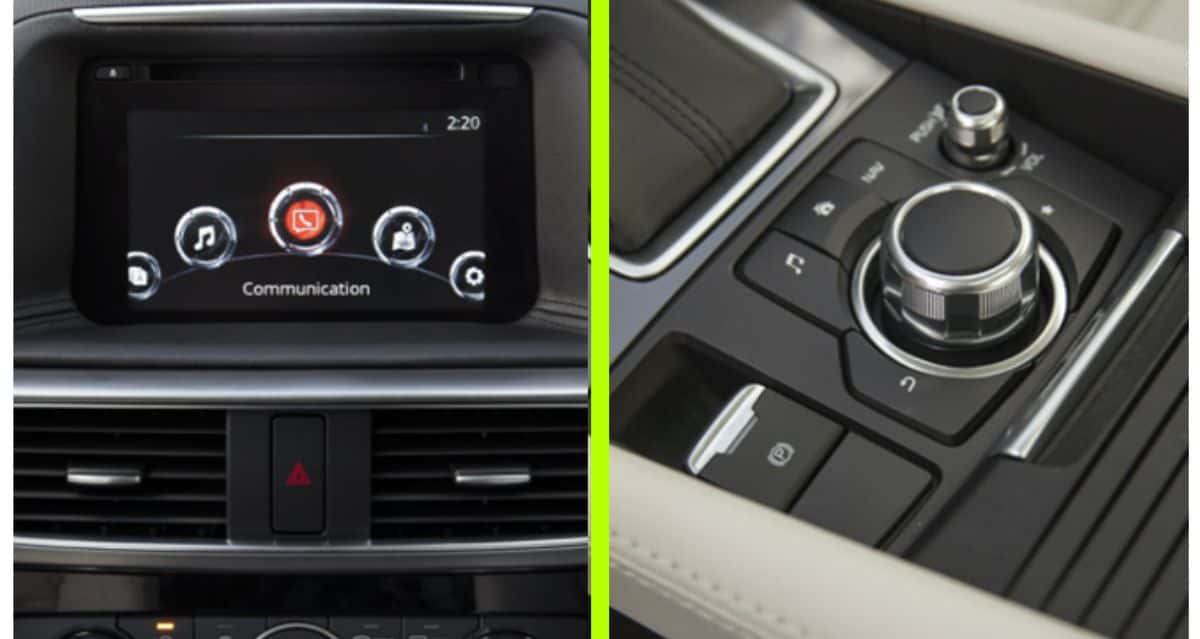
MAZDA CONNECT
How do I use MAZDA CONNECT™?
MAZDA CONNECT™ has the ability to connect to your smartphone via Bluetooth. This allows for wireless connectivity which more convenient than a wired connection. To do so, follow these easy steps:
- Select the gear icon on your Mazda’s touchscreen
- Click the “Devices” tab and chose “Bluetooth”
- Turn Bluetooth “ON”
- Select “Add New Device”
- Go to the Bluetooth settings on your smartphone and search for devices
- Select “Mazda” on your smartphone’s search display
- Input the four- or six-digit pairing code
- You are now connected!
Once you are connected to MAZDA CONNECT™, you will be able to access music, navigation, weather, and more. When you’re at this point, much of it should be self-explanatory. You can play music by selecting the music icon on the touchscreen and your music library will appear. For maximum safety, you can navigate on the screen using the knob near the shifter.
To learn more about MAZDA CONNECT™, give us a call. Our sales team knows everything they need to know about the system and can answer all of your questions. Give us a call or stop by soon!

0 comment(s) so far on How to use MAZDA CONNECT™